
US Visa Photo Editor
Already have a photo with a messy background or off-center framing? Upload it and the editor replaces the background with white, centers your face and resizes it for a US visa application.
- White background
- Face centered
- 600×600 px
- Free preview
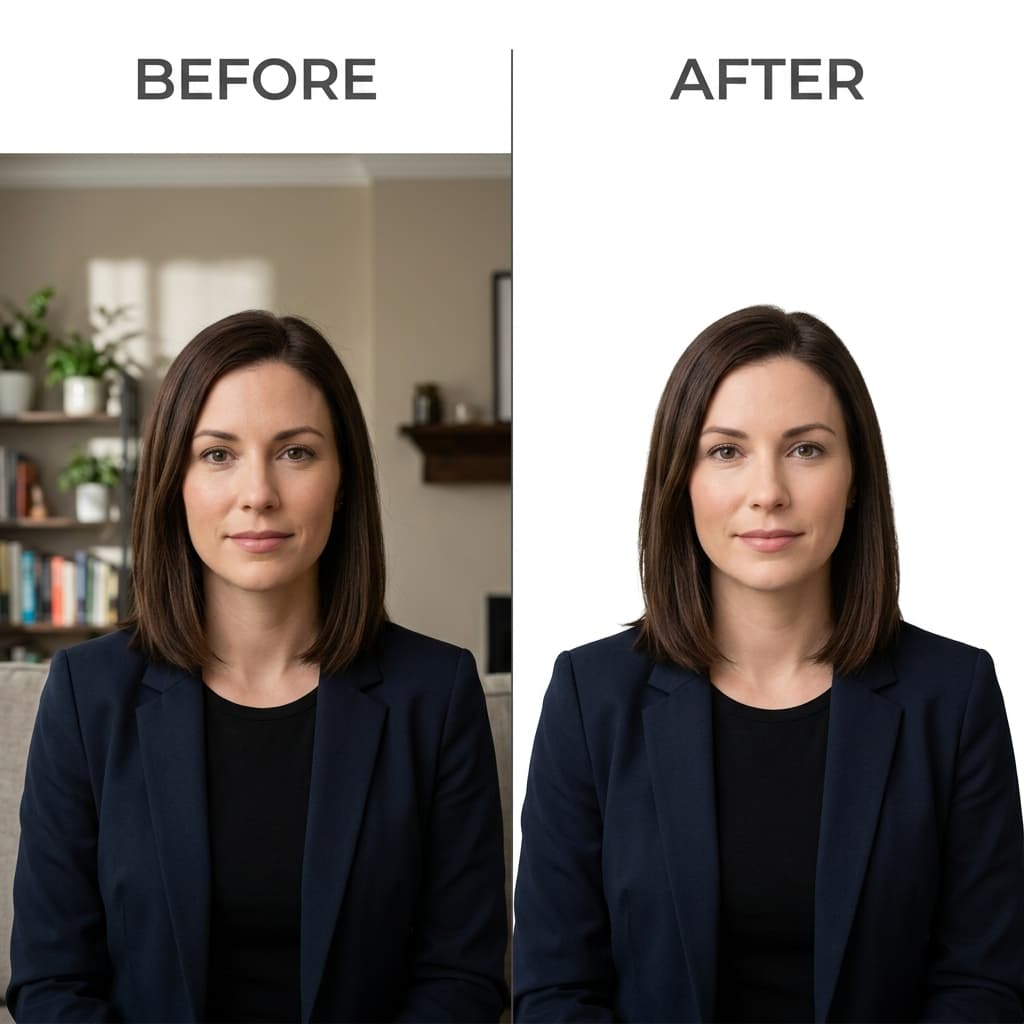
Background replaced with plain white for a US visa photo
Format Your Photo Instantly
Take or choose a front-facing photo from your camera or gallery. Preview the cropped edited US visa photo with an official white background for free.
edited US visa photo formatted to 600x600 px for United States
Choose a photo or drag it here
JPEG, PNG, or WebP up to 20 MB · Front-facing camera or portrait
Select PhotoPassport Photo Checklist:
How to edit your US visa photo
- 01
Upload the photo to edit
Use a front-facing picture where your full head is visible. JPEG, PNG or WebP up to 20 MB works.
- 02
Automatic edits
The editor removes the background, puts plain white behind you, centers your face in a square and sizes your head to the layout.
- 03
Compare and preview
Look at the result for free. Check hair edges and shoulders for halos or cut-off areas.
- 04
Download the edited photo
Pay $9.99 once to download the 600×600 px JPEG and the printable 2×2 inch copy.
Why a white background matters for a visa photo
US visa photos need a plain white or off-white background with no shadows or patterns. A wall, curtain or room behind you will usually be flagged, so replacing it is the most common edit.
Problems the editor can and cannot fix
- Can fix: busy or colored backgrounds, off-center framing, a head that is too small in the frame, a photo that is not square.
- Cannot fix: glasses, shadows across the face, closed eyes, a tilted head, blur or heavy filters. Retake the photo instead.
- The editor does not alter your appearance. Edits that change how you look can get a photo rejected.
Before you upload to the DS-160
The DS-160 accepts a JPEG of 240 KB or less. Check the size of the downloaded file on your device before you upload it.
Frequently Asked Questions
Can I edit my own photo for a US visa?
Yes, you may fix the crop and background. Do not retouch your face or features. The photo must be a true likeness of you.
Can I change the background to white?
Yes. The editor replaces the background with plain white automatically. Check hair edges in the preview.
Is the editor free?
Processing and previewing are free. Downloading the finished photo costs $9.99, one time.
Will it fix shadows on my face?
No. Shadows on your face come from the lighting in the original photo. Retake it facing a window or even light.
What if the edit looks wrong?
Upload a sharper photo with more space around your head and run it again. Previews are free, so you can retry.
USVisaPhotoAI is an independent photo service. It is not affiliated with the U.S. Department of State, USCIS, or any government agency. Final acceptance of any photo is decided by the agency reviewing your application.