
Take a Passport Photo at Home
You don't need a store or a studio. Take the photo with your phone at home, upload it here, and get a 2×2 inch US passport photo with a white background.
- Any phone camera
- 2×2 in (51×51 mm)
- White background
- Print on 4×6
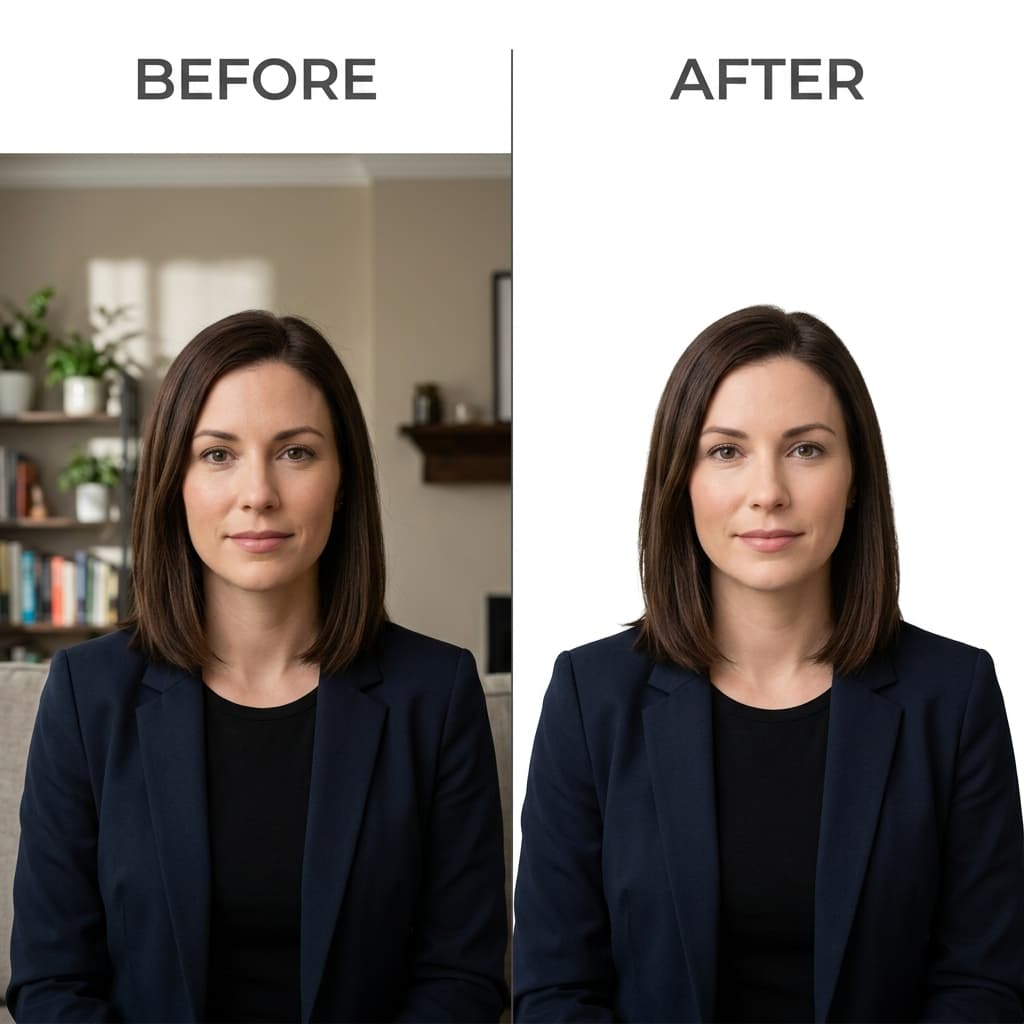
At-Home Smartphone Setup to Official White Background
Format Your Photo Instantly
Take or choose a front-facing photo from your camera or gallery. Preview the cropped US passport photo with an official white background for free.
US passport photo formatted to 600x600 px for United States
Choose a photo or drag it here
JPEG, PNG, or WebP up to 20 MB · Front-facing camera or portrait
Select PhotoPassport Photo Checklist:
How to take a passport photo at home
- 01
Set up the shot
Stand a few feet in front of a plain, light wall, facing a window with daylight but no direct sun. Have someone else hold the phone about 4 feet away at your eye level.
- 02
Take several photos
Use the rear camera, glasses off, hair away from your face, neutral expression or a natural smile, both eyes open. Take several shots and pick the sharpest.
- 03
Upload and preview
Upload the photo here. The tool crops it to 2×2 inches and replaces the background with white. Check the free preview before you pay.
- 04
Download and print
Download the photo for $9.99, then make a 4×6 print sheet and print it at a pharmacy photo counter or at home on photo paper.
Why not a selfie?
At arm's length, the front camera's wide-angle lens makes your nose look bigger and your ears smaller, and the photo is often tilted. Having someone else take the photo from about 4 feet away with the rear camera gives a natural, straight-on face. If no one can help, prop the phone at eye level and use the self-timer.
Common mistakes at home
- Standing right against the wall, which casts a shadow behind your head.
- Light from one side or overhead, which leaves shadows on half your face.
- Direct sun, which makes you squint and creates harsh shadows.
- Leaving glasses on. They are not allowed without a signed medical statement.
- Using a filter, portrait mode effect or beauty setting. Use the plain camera.
- Cropping too tight. Keep your whole head and the top of your shoulders in the frame.
Printing your photo
The free print sheet tool puts your 2×2 inch photos on a standard 4×6 inch sheet. Upload it to a pharmacy photo service for a regular 4×6 print, or print it at home on matte or glossy photo paper at actual size, then cut along the edges.
Frequently Asked Questions
Can I take my own passport photo at home?
Yes. The US accepts photos taken anywhere, as long as they meet the rules: 2 × 2 inches, plain white or off-white background, recent, in color, no glasses and no filters.
Can I use my iPhone or Android phone?
Yes. Any recent phone camera works. Use the rear camera, turn off filters and portrait effects, and have someone take the photo from about 4 feet away.
Do I need a white wall at home?
Not strictly, because the tool replaces the background with white. A plain, light wall still gives cleaner edges around your hair, so use one if you can.
What's the best light for a passport photo at home?
Daylight from a window in front of you, without direct sun. Avoid overhead lights and light from one side, which cast shadows on your face.
How do I print a passport photo taken at home?
Make a 4×6 sheet with the free print sheet tool, then print it at a pharmacy photo counter or at home on photo paper at actual size. Cut out one 2 × 2 inch photo.
Can I use a home photo for a passport renewal?
Yes, if it meets the same rules as any passport photo. It must also be taken within the last 6 months.
USVisaPhotoAI is an independent photo service. It is not affiliated with the U.S. Department of State, USCIS, or any government agency. Final acceptance of any photo is decided by the agency reviewing your application.