
Green Card Photo Maker
Make passport-style photos for your USCIS green card filing. Upload a picture, get a 2×2 inch photo on a white background, and print as many copies as your forms ask for.
- 2×2 in (51×51 mm)
- White background
- Passport-style
- Print on 4×6
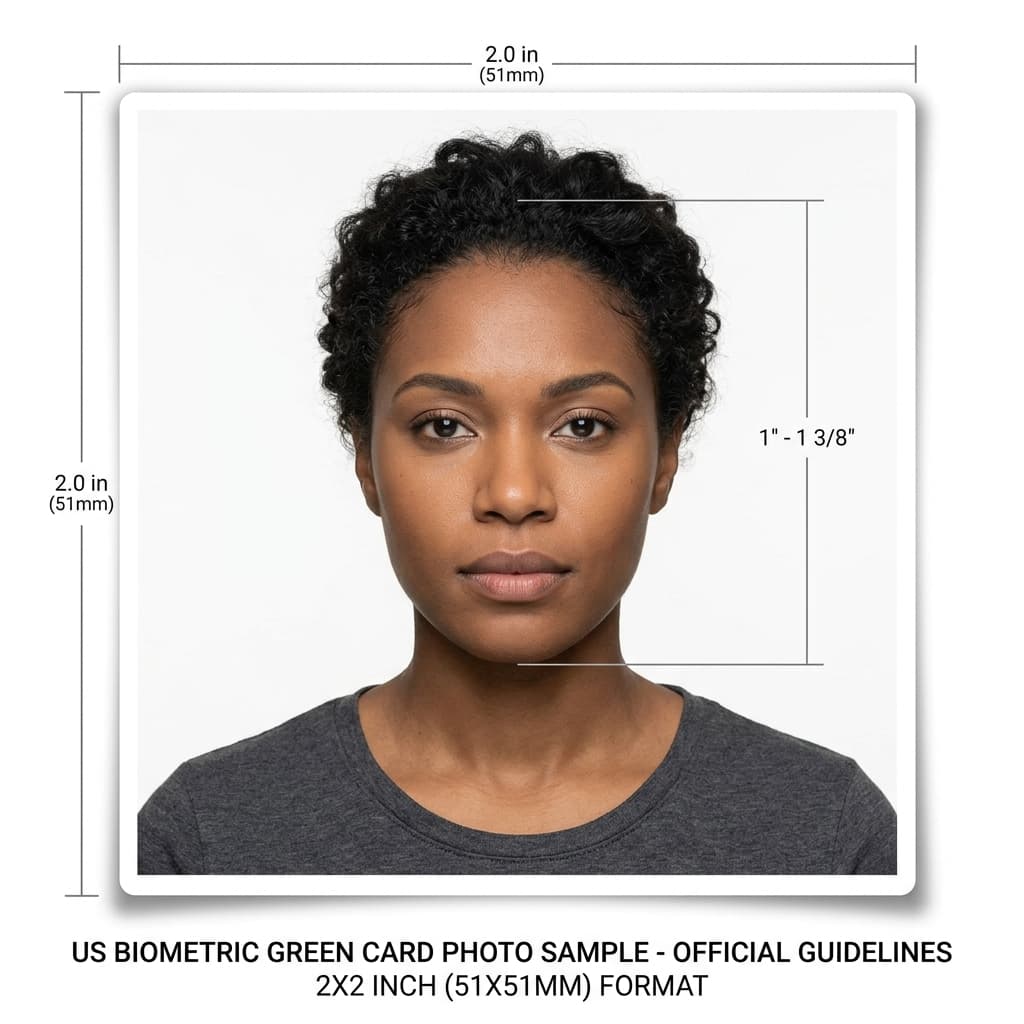
USCIS I-485 & I-130 Biometric Specifications Guide
Format Your Photo Instantly
Take or choose a front-facing photo from your camera or gallery. Preview the cropped green card photo with an official white background for free.
green card photo formatted to 600x600 px for United States
Choose a photo or drag it here
JPEG, PNG, or WebP up to 20 MB · Front-facing camera or portrait
Select PhotoPassport Photo Checklist:
How to make and print green card photos
- 01
Upload a recent photo
Take it close to your filing date, facing the camera in even light, without glasses. Ask someone else to take it rather than using a selfie.
- 02
Preview the 2×2 crop
The tool centers your face and replaces the background with white. Check the preview for free before you pay.
- 03
Make a 4×6 print sheet
Download your photo, then use the free print sheet generator to place several 2×2 copies on one 4×6 inch sheet.
- 04
Print and cut
Print the sheet on photo paper at a pharmacy photo counter or at home, then cut out the photos along the edges.
Before you mail your photos
- USCIS form instructions generally ask for photos taken within 30 days of filing. Check your form's instructions, and don't reuse an older visa or passport photo.
- USCIS asks you to lightly print your name and A-Number on the back in pencil or felt pen.
- Print a few extra copies. Family petitions and related forms filed together may each ask for their own photos.
Printing at a pharmacy
Most pharmacy photo counters print 4×6 inch photos. Upload the print sheet as a standard 4×6 print, not as a passport photo order, so it isn't cropped or resized.
One sheet holds several 2×2 photos, which covers the two identical copies the I-485 asks for with spares left over.
Renewing a green card (Form I-90)
If you are replacing or renewing a green card, USCIS usually takes your photo at the biometrics appointment, so you may not need to mail one. Check the I-90 instructions before you print.
Frequently Asked Questions
What size is a green card photo?
USCIS uses passport-style photos: 2 × 2 inches with a white or off-white background and a head size of 1 to 1⅜ inches from chin to top of head.
How many photos do I need for Form I-485?
The I-485 asks for two identical passport-style photos. Other forms you file with it may ask for their own, so read each form's instructions.
Does Form I-130 need photos?
Usually only for spouse petitions, where the I-130 instructions ask for passport-style photos of both you and your spouse. Check the current instructions for your relationship category.
Can I use my old visa photo for my green card application?
Probably not. USCIS form instructions generally ask for photos taken within 30 days of filing, which is much stricter than the 6-month rule for visa photos.
Do I need to mail a photo to renew my green card?
Usually not for Form I-90, because USCIS normally takes your photo at the biometrics appointment. Check the current I-90 instructions to be sure.
Can I print green card photos at home?
Yes, if you print in color on photo paper at actual size. Measure one printed photo to confirm it is exactly 2 × 2 inches before you cut the rest.
USVisaPhotoAI is an independent photo service. It is not affiliated with the U.S. Department of State, USCIS, or any government agency. Final acceptance of any photo is decided by the agency reviewing your application.