
Visa Photo Maker
Select the country you are applying to, upload a clear photo of your face, and get a visa photo cropped and resized for that country's application.
- Any destination country
- E-visa upload file
- Printable copy
- Free preview
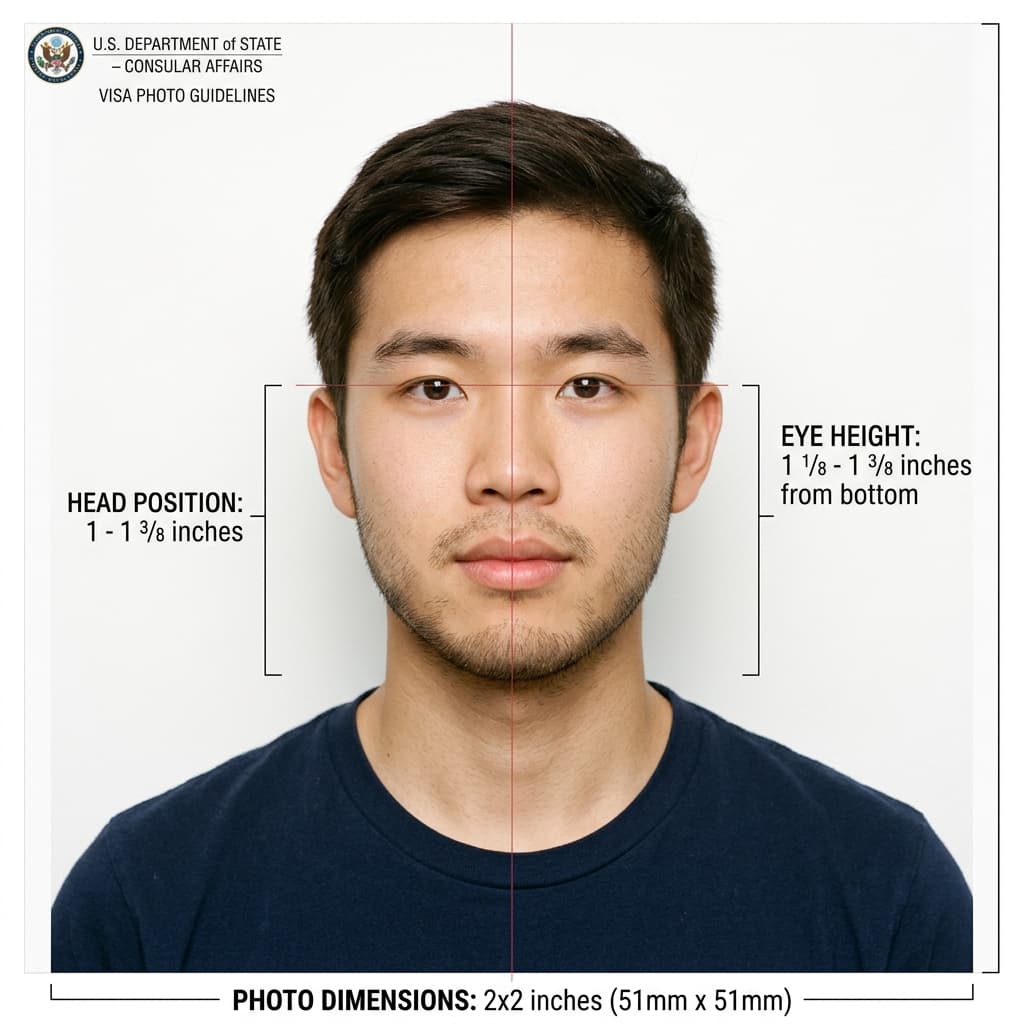
International Biometric Visa Photo Guidelines
Format Your Photo Instantly
Take or choose a front-facing photo from your camera or gallery. Preview the cropped visa photo with an official white background for free.
visa photo formatted to 600x600 px for United States
Choose a photo or drag it here
JPEG, PNG, or WebP up to 20 MB · Front-facing camera or portrait
Select PhotoPassport Photo Checklist:
How to make a visa photo online
- 01
Choose your destination
Select the country whose visa you are applying for. The size is set by the destination, not by your nationality.
- 02
Upload a photo
Use a recent, front-facing photo in even light. JPEG, PNG and WebP files up to 20 MB work.
- 03
Review the preview
The tool crops around your face, replaces the background and resizes to that country's dimensions. Check it before paying.
- 04
Upload or print
Download the file for an online or e-visa form, or print it for an embassy or visa center appointment.
Applying for a US visa?
Use the US visa photo maker. It locks the tool to the 2×2 inch US format and covers the DS-160 upload rules, including the 240 KB JPEG limit.
E-visa uploads and embassy appointments
- For an online application, upload the downloaded file directly. Read the form's file size and format limits first.
- For an embassy, consulate or visa center appointment, bring printed photos. Make a sheet with the free print template generator.
- Rules change and some consulates add their own requirements, so check the instructions for the office handling your application.
Visa photo or passport photo?
For many countries the visa and passport photo sizes are the same. The difference is which country sets the rules: for a visa it is the country you are traveling to, for a passport it is the country that issues it.
Frequently Asked Questions
What size is a visa photo?
It depends on the destination. A US visa photo is 2 × 2 inches. Schengen and UK-style photos are 35 × 45 mm. The tool uses the size for the country you select.
Which country should I select?
Select the country you are applying to for the visa, even if your passport is from somewhere else.
Can I use the photo for an e-visa?
Yes. Download the digital file and upload it to the online form. Check the form's maximum file size before you submit.
How much does a visa photo cost?
The upload and preview are free. The download is $9.99 once, and the download link is emailed to you and valid for 72 hours.
Will the consulate approve my photo?
That is the consulate's or immigration authority's decision. If your photo is rejected because of its dimensions, contact us within 30 days for a remake or refund under the refund policy.
USVisaPhotoAI is an independent photo service. It is not affiliated with the U.S. Department of State, USCIS, or any government agency. Final acceptance of any photo is decided by the agency reviewing your application.