
Create a US Visa Photo Online
The DS-160 and DS-260 require a square JPEG between 600×600 and 1200×1200 pixels, under 240 KB. You receive a verified digital file for upload and a printable 2×2 inch version for embassy interviews.
Upload a photo from your phone or computer. Receive an official 2×2 inch US visa or passport photo with compliant white background, plus a 600×600 px digital file ready for online submission.
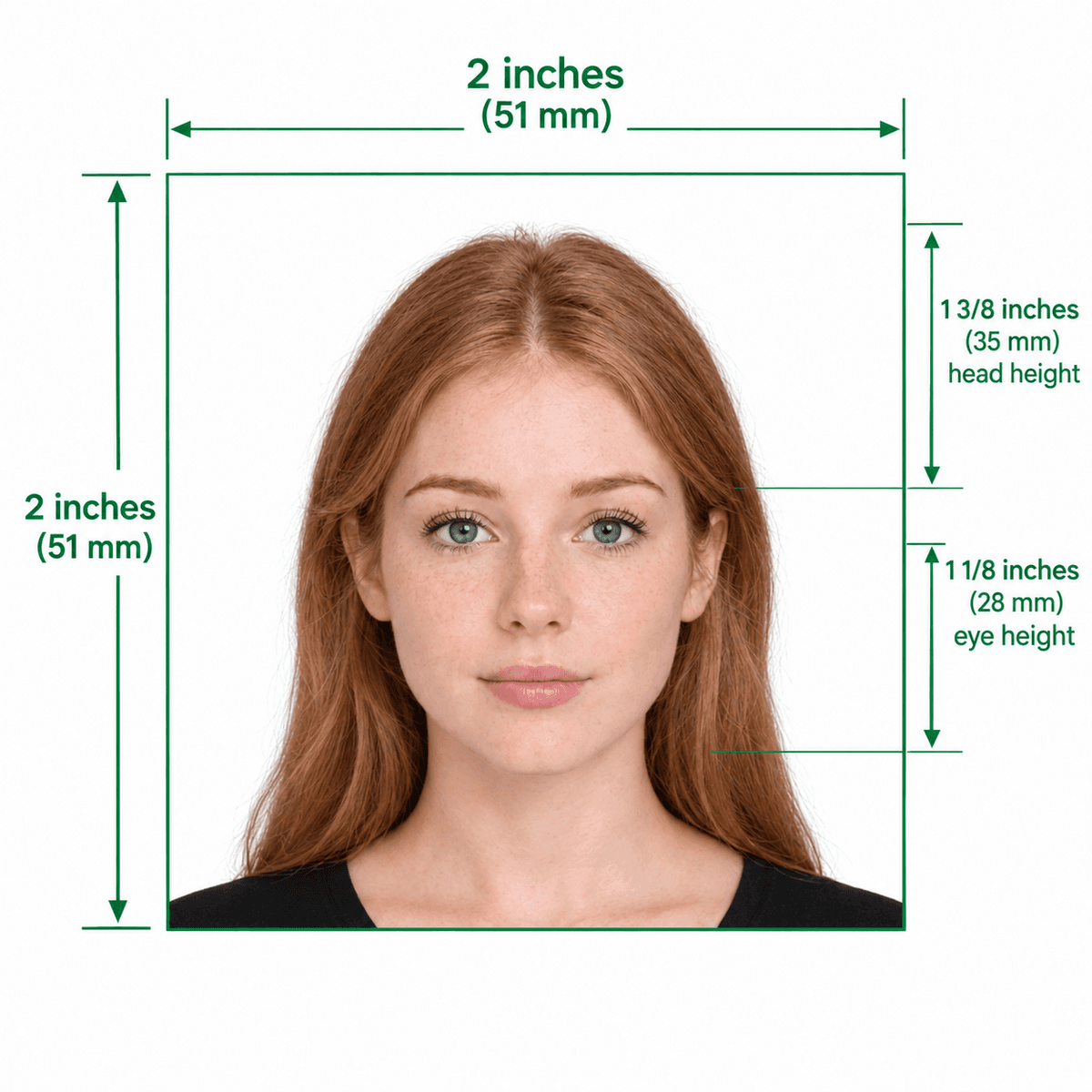
Biometric 2×2″ (51×51 mm) official proportions guide
Take or choose a front-facing photo from your camera or gallery. Preview the cropped 2×2 inch photo with an official white background for free.
United States passport photo formatted to 600x600 px for United States
Choose a photo or drag it here
JPEG, PNG, or WebP up to 20 MB · Front-facing camera or portrait
Select PhotoPassport Photo Checklist:
Visas, passports and USCIS forms all use the standard 2×2 inch biometric frame. Select your document type for tailored guidelines.
The DS-160 and DS-260 require a square JPEG between 600×600 and 1200×1200 pixels, under 240 KB. You receive a verified digital file for upload and a printable 2×2 inch version for embassy interviews.
First-time passport submissions require a printed 2×2 inch photo, while online renewals need a 600×600 px file. Make your photo here, then print it on a 4×6 template at any pharmacy.
Any clear, front-facing photo from your smartphone or camera. JPEG, PNG or WebP.
US 2×2″ (51×51 mm) is standard. Or choose from 50+ countries with official presets.
AI aligns face landmarks, removes background shadows, and replaces with pure white.
Verify the biometric preview for free. Pay $9.99 to download high-res files.
Every page opens the biometric photo maker with pre-configured rules.
Test and preview as many photos as you want for free without sign-up.
Download both the 600×600 px digital file and a printable pharmacy sheet.
Optional human review ($16.99) with detailed inspection by a passport specialist.
Full remake or refund within 30 days if rejected for photo dimensions.
Protected checkout via Razorpay. Your card details never touch our servers.
Switch destinations instantly for Schengen, UK, Canada, India, and more.
Standard Photo
Free preview first. No subscription.
US passports and passport renewals, US visas (DS-160 and DS-260), the DV lottery, and USCIS forms such as the I-485, I-765, I-131 and N-400. They all use a 2×2 inch photo with a white or off-white background.
Uploading and previewing are free. The standard photo costs $9.99 once and includes the digital file and 4×6 print sheet. An optional Expert Edit, where a person reviews and touches up the photo, costs $16.99. The print sheet generator is free.
Processing usually finishes in under 10 seconds. The download is available right after payment, and a link is also emailed to you.
It is sent to our secure processing pipeline to be cropped and verified, and the result is stored temporarily so you can download it. You can ask us to delete your photos at any time. Our data security page explains each step.
If a photo made with the tool is rejected because of its dimensions and you contact us within 30 days, we remake it or refund you, as described in the refund policy. Rejections for other reasons, such as glasses or an old photo, are not covered.
Yes. The country list in the tool includes 50+ countries, each with its own photo size. The site is built mainly for US documents, so check the issuing country's rules before you submit.
USVisaPhotoAI is an independent photo service. It is not affiliated with the U.S. Department of State, USCIS, or any government agency. Final acceptance of any photo is decided by the agency reviewing your application.