
DS-160 Photo Maker
Stuck on the DS-160 photo step? Upload the picture you tried to use. The tool returns a square, compressed 600×600 px JPEG with a white background, the format the upload expects. Confirm the file is 240 KB or less before you upload it.
- 600×600 px
- Compressed JPEG
- Square 1:1
- White background
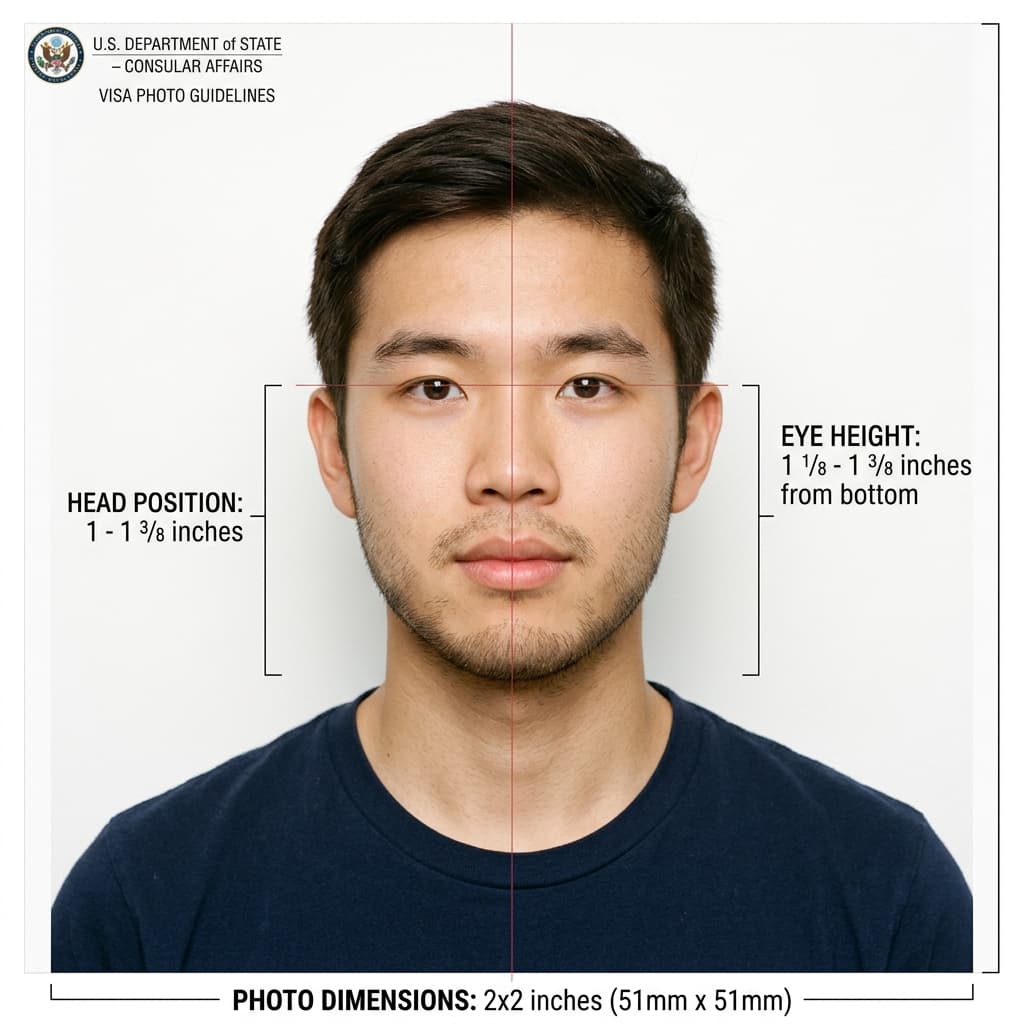
Form DS-160 Official Biometric Dimensions Guide
Format Your Photo Instantly
Take or choose a front-facing photo from your camera or gallery. Preview the cropped DS-160 photo with an official white background for free.
DS-160 photo formatted to 600x600 px for United States
Choose a photo or drag it here
JPEG, PNG, or WebP up to 20 MB · Front-facing camera or portrait
Select PhotoPassport Photo Checklist:
How to get a DS-160 photo that uploads
- 01
Upload your picture
Use the photo the DS-160 rejected, or take a new one facing the camera in even light. JPEG, PNG or WebP up to 20 MB is fine.
- 02
Let the tool reformat it
Your face is centered in a square frame, the background becomes white, and the file is saved as a 600×600 px JPEG.
- 03
Preview, then download
Check the preview for free. If it looks right, pay once and download the file. A link is also emailed to you.
- 04
Return to the DS-160 photo step
Upload the new file from the same device where you saved it, then continue with the rest of the form.
Common reasons a DS-160 photo upload fails
- File too large: phone photos are often several megabytes, far above the 240 KB limit.
- Not square: a portrait or landscape photo has to be cropped to a 1:1 ratio first.
- Too small: images under 600 × 600 px are refused even if they look sharp.
- Wrong format: HEIC, PNG and screenshots need to be converted to JPEG.
- Photo quality: shadows, glare, glasses, a tilted head or a busy background can fail the quality check.
What the tool fixes and what it doesn't
The first four problems are about the file, and the tool's output is built for them: a square, compressed 600 × 600 px JPEG with a white background. Check the file size on your device before you upload.
It cannot fix the photo itself. If you wore glasses, were lit from the side or tilted your head, retake the picture and run it through the tool again. The preview is free, so you can try as many times as you need.
If the upload still fails
The DS-160 usually lets you continue without a photo after a failed upload, and you bring a printed 2×2 inch photo to your interview instead. Check your embassy or consulate's instructions to confirm what they want.
Print the same photo you downloaded so the paper copy matches what you tried to upload.
Frequently Asked Questions
What is the DS-160 photo size?
The DS-160 wants a square digital photo between 600 × 600 and 1200 × 1200 pixels, saved as a JPEG of 240 KB or less. The tool exports 600 × 600 px.
Why does the DS-160 keep rejecting my photo?
Most failed uploads are caused by a file that is too large, not square, too small or not a JPEG. If the file meets all four, the problem is usually the photo itself, such as shadows, glasses or a tilted head.
Can I upload a photo taken on my iPhone?
Often not as-is, because iPhone photos can be saved as HEIC and are usually several megabytes. Upload a JPEG, PNG or WebP copy here and the tool turns it into a compressed 600 × 600 px JPEG.
Can I submit the DS-160 without a photo?
If the photo upload fails, the form usually lets you continue and you bring a printed photo to the interview. Rules differ by post, so check your embassy's instructions before you skip it.
Can I reuse the photo from my last DS-160?
Only if it was taken within the last 6 months and you still look the same. Otherwise take a new photo.
Do I need a different photo for the visa interview?
Some consulates ask for a printed 2×2 inch photo at the interview. Printing the same photo you uploaded keeps your application consistent.
USVisaPhotoAI is an independent photo service. It is not affiliated with the U.S. Department of State, USCIS, or any government agency. Final acceptance of any photo is decided by the agency reviewing your application.