
Passport Photo Maker
Choose the country that issues your passport, upload a clear photo of your face, and the tool crops it, replaces the background and outputs the size set for that country.
- 50+ countries
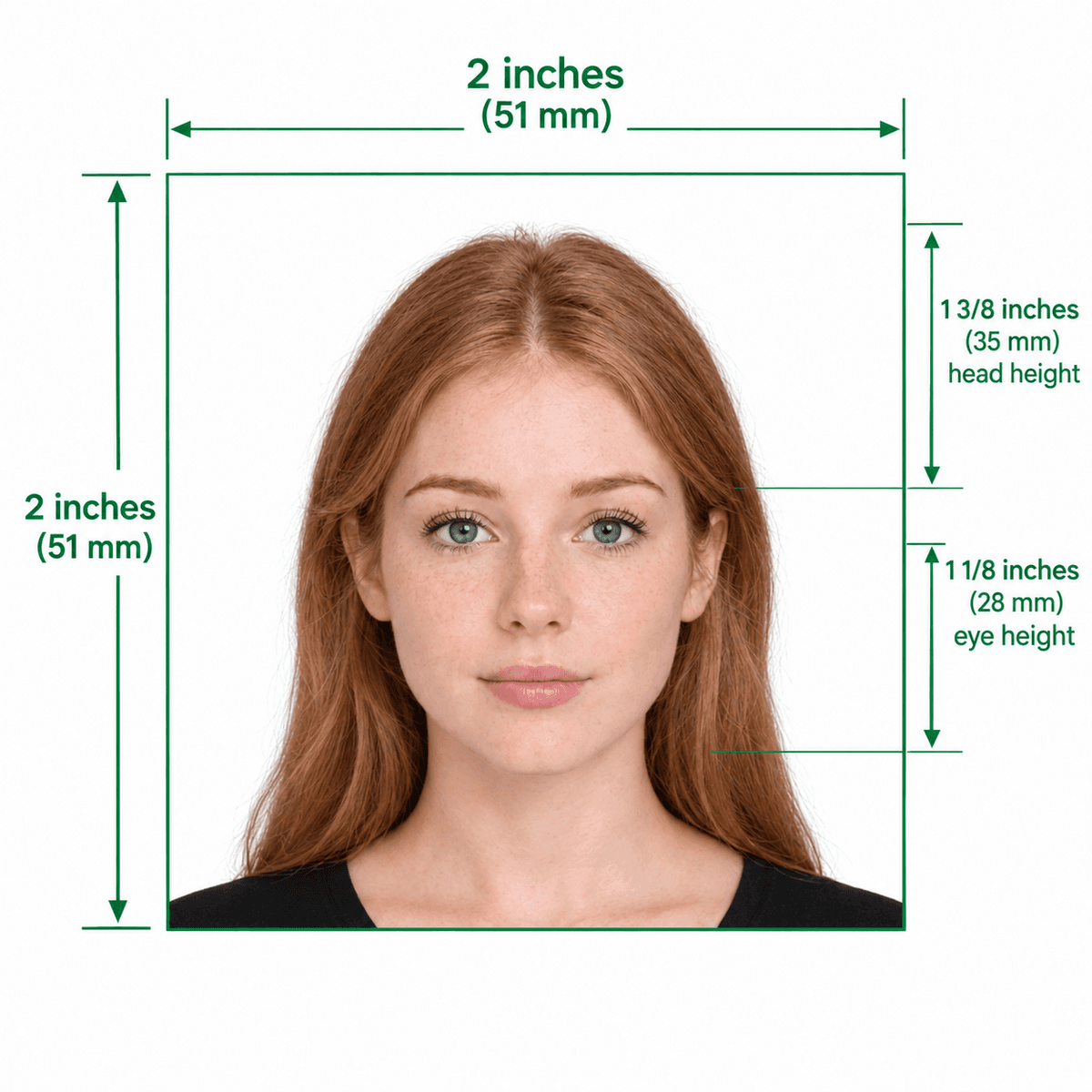
- US default: 2×2 in
- Background replaced
- Free preview
Universal Biometric Passport Photo Standards Guide
Format Your Photo Instantly
Take or choose a front-facing photo from your camera or gallery. Preview the cropped passport photo with an official white background for free.
passport photo formatted to 600x600 px for United States
Choose a photo or drag it here
JPEG, PNG, or WebP up to 20 MB · Front-facing camera or portrait
Select PhotoPassport Photo Checklist:
How to make a passport photo online
- 01
Pick your country
The tool starts on the United States. Use the country selector to switch to the country that issues your passport.
- 02
Upload a photo
Use a recent, front-facing JPEG, PNG or WebP photo up to 20 MB, taken in even light with your head and shoulders in frame.
- 03
Check the preview
The tool centers your face, replaces the background and resizes to the selected country's dimensions. Review it before you pay.
- 04
Download and print
Pay $9.99 once to download. Use the free print sheet generator if you need paper copies.
Sizes come from the country you select
Each country in the selector has its own pixel size, and the output follows it. Background color and other rules also differ by country, so check the preview and confirm the current requirements with the authority that issues your passport.
Applying for a US document?
Use the US pages, which keep the tool set to the 2×2 inch US format and explain the US rules for each application.
- US passport: new passports, renewals and passport cards.
- US visa: DS-160 and DS-260 uploads.
- Green Card and other USCIS forms.
Tips for a usable source photo
- Face the camera straight on with a neutral expression and both eyes open.
- Take off your glasses; many countries do not allow them.
- Use soft, even light from the front to avoid shadows.
- Have someone else take the photo from about 4 feet away instead of using an arm's-length selfie.
Frequently Asked Questions
Which countries does the passport photo maker support?
More than 50 countries are in the country selector, including the United States, United Kingdom, Canada, Australia, India, Germany and the Schengen Area.
What is passport size photo?
It depends on the country. A US passport photo is 2 × 2 inches, while many countries in Europe and elsewhere use 35 × 45 mm. The tool uses the size for the country you pick.
Can I make a passport photo with my phone?
Yes. Take a well-lit, front-facing photo with your phone and upload it. The tool handles the crop, background and size.
Does the price change by country?
No. For every country, uploading and previewing are free. You pay $9.99 once to download the photo. An optional $16.99 Expert Edit is also available.
Can you promise my photo will be approved?
No one can promise that; the issuing authority decides. The tool matches the size, crop and background to the selected country, but expression, lighting and glasses also matter.
How do I get printed copies?
Use the free print template generator to place several photos on a 4×6, 5×7, US Letter or A4 sheet, then print it at home or at a photo store.
USVisaPhotoAI is an independent photo service. It is not affiliated with the U.S. Department of State, USCIS, or any government agency. Final acceptance of any photo is decided by the agency reviewing your application.