
Baby Passport Photo Maker
Photograph your baby at home, then upload the picture. The tool crops it to the 2×2 inch US passport layout and replaces the background with white, and you see a free preview before paying.
- 2×2 in (51×51 mm)
- Newborns & toddlers
- White background
- Free preview
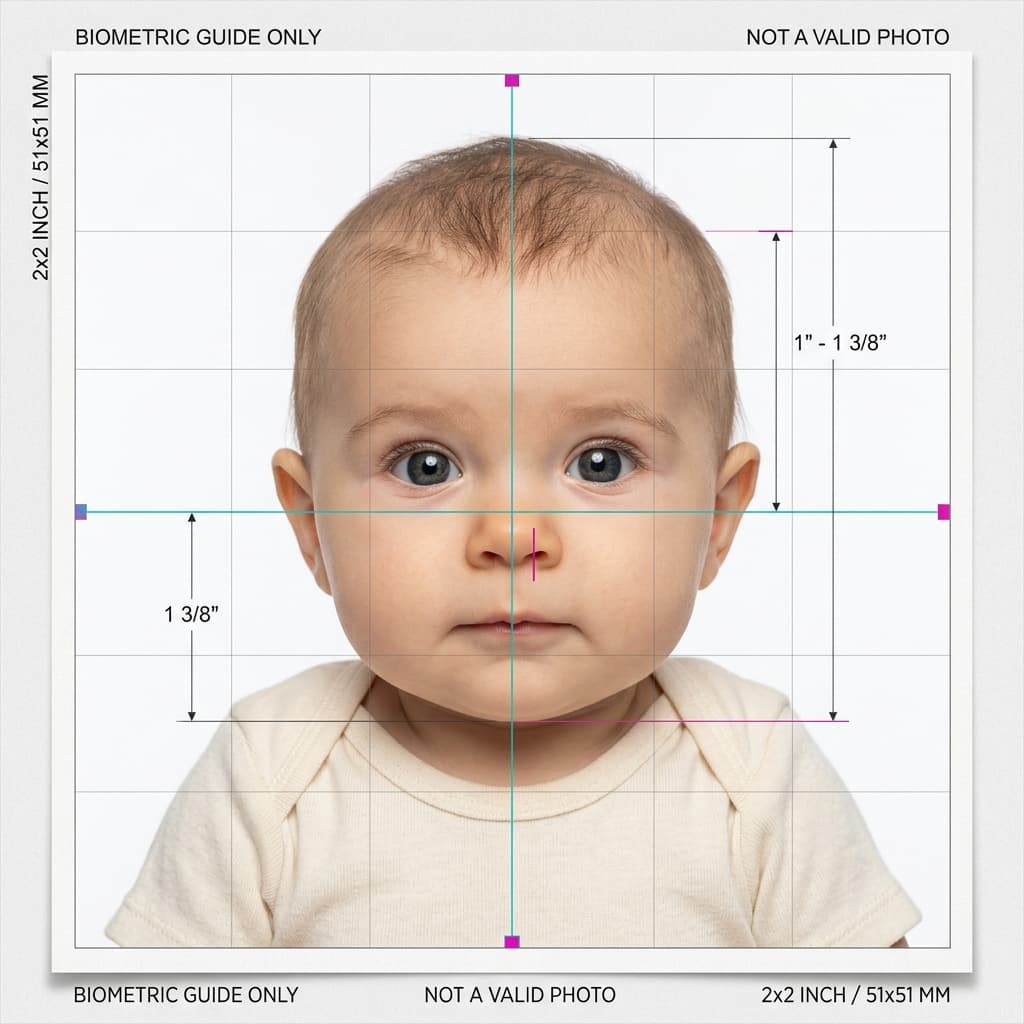
Infant & Baby Biometric Passport Photo Guide
Format Your Photo Instantly
Take or choose a front-facing photo from your camera or gallery. Preview the cropped baby passport photo with an official white background for free.
baby passport photo formatted to 600x600 px for United States
Choose a photo or drag it here
JPEG, PNG, or WebP up to 20 MB · Front-facing camera or portrait
Select PhotoPassport Photo Checklist:
How to take a baby passport photo at home
- 01
Set up a plain white surface
Lay your baby on their back on a plain white sheet, or seat them in a car seat with a white sheet draped over it.
- 02
Shoot from directly above or in front
Hold the phone parallel to your baby's face in bright, even daylight. Take a burst of shots and pick the one where they face the camera.
- 03
Upload and check the preview
The tool crops the face to the 2×2 inch layout and cleans up the background. If the crop looks wrong, try another shot at no cost.
- 04
Download and print
Pay once to download the photo, then print it at 2×2 inches with the free 4×6 print template.
Tips for photographing an infant
- Pick a time right after a feed or nap, when your baby is calm and alert.
- Use daylight from a window instead of a flash, which causes harsh shadows and red eyes.
- Keep your hands out of the frame. Lay your baby down instead of holding them up for the shot.
- Remove hats, headbands, bows and the pacifier before you start shooting.
- Get your baby's attention with a sound or toy held just behind the camera, not in the frame.
What the State Department allows for babies
Babies follow the same photo rules as adults: plain white or off-white background, face toward the camera, no one else in the shot. The State Department notes it's acceptable if a newborn's eyes are not fully open, so you don't need a perfect wide-eyed picture.
A neutral expression is ideal, but nobody expects a newborn to hold one. A calm face is what matters.
When the tool may struggle
Very young babies can be hard for the face detection to find, especially if the head is turned, partly covered by the sheet, or the photo is dark. That is why the preview is free: check the crop before you pay.
If the result looks off, retake the photo with the face centered, fully visible and evenly lit, then upload again.
Frequently Asked Questions
Does a newborn need a passport photo?
Yes. Every US passport applicant needs a photo, including newborns, and it must meet the same 2×2 inch rules as an adult's photo.
Do my baby's eyes have to be open?
Open eyes are best, but the State Department notes it's acceptable if a newborn's eyes are not fully open. For older babies and toddlers, aim for eyes open.
Can I hold my baby for the photo?
Not in a way that shows in the photo. No hands, arms or other people can be visible, so lay your baby on a white sheet or use a car seat covered with one.
Is a car seat OK for a baby passport photo?
Yes, if you cover it with a plain white sheet so none of the seat shows behind your baby's head, and the light is even with no shadows.
Can my baby have a pacifier in the photo?
No. Remove pacifiers, bottles and toys so the whole face is clear.
Will the tool work on any baby photo?
Not always. Very young babies can be hard to detect, especially in dark or tilted shots. The free preview lets you check the result before you pay.
USVisaPhotoAI is an independent photo service. It is not affiliated with the U.S. Department of State, USCIS, or any government agency. Final acceptance of any photo is decided by the agency reviewing your application.