
N-400 Citizenship Photo Maker
Upload a clear photo of your face. The tool crops it to a 2×2 inch passport-style photo with a white background, ready to print for your naturalization application.
- 2×2 in (51×51 mm)
- White background
- Passport-style
- 4×6 print sheet
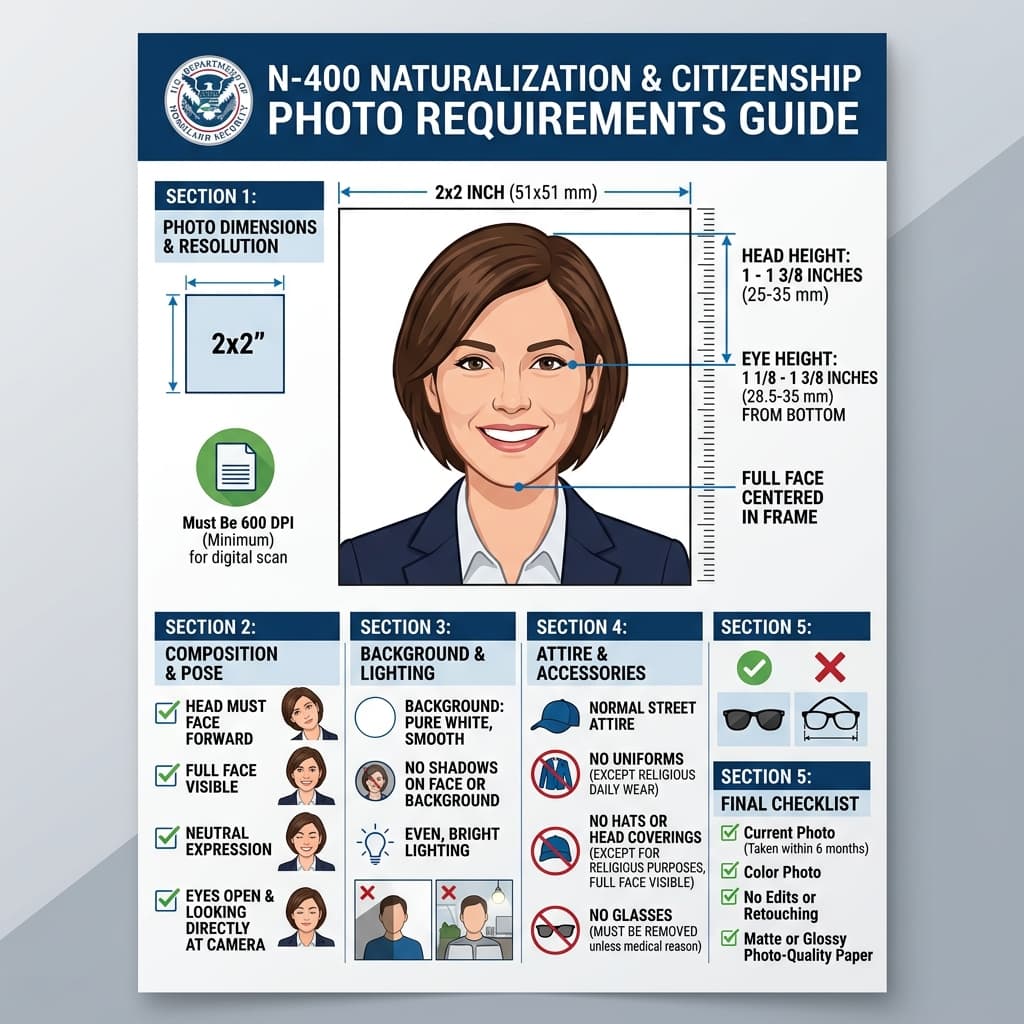
Form N-400 Naturalization Biometric Photo Standards
Format Your Photo Instantly
Take or choose a front-facing photo from your camera or gallery. Preview the cropped N-400 photo with an official white background for free.
N-400 photo formatted to 600x600 px for United States
Choose a photo or drag it here
JPEG, PNG, or WebP up to 20 MB · Front-facing camera or portrait
Select PhotoPassport Photo Checklist:
How to make your N-400 photos
- 01
Upload a photo
Use a recent, front-facing color photo in even light, with your whole head and the top of your shoulders in frame.
- 02
Check the 2×2 preview
The tool centers your face and replaces the background with white. Review the result for free before you pay.
- 03
Make a 4×6 print sheet
Download your photo and put it on a 4×6 inch sheet with six 2×2 photos using the free print template generator.
- 04
Print and cut
Print the sheet at a pharmacy photo counter or at home on photo paper, then cut two photos along the guides.
Do you need to send photos with your N-400?
Not everyone does. The Form N-400 instructions ask applicants who live outside the United States to include two passport-style photos. Most applicants living in the US have their photo taken at their USCIS biometrics appointment instead.
Read the current N-400 instructions on the USCIS website to confirm whether your application needs photos before you print them.
Tips for your citizenship photo
- Remove your glasses to avoid glare on the lenses.
- Keep a neutral expression with both eyes open and your face fully visible.
- Ask someone to take the photo from about 4 feet away instead of using an arm's-length selfie.
- Print on photo paper so the image is sharp and does not smudge.
After you naturalize
Many new citizens apply for a US passport soon after their oath ceremony. A passport application needs its own 2×2 photo that follows the State Department rules, including no glasses, so make a fresh one when you apply.
Frequently Asked Questions
How many photos do I need for the N-400?
Applicants who live outside the United States are asked to send two passport-style photos. If you live in the US, your photo is usually taken at the biometrics appointment, so check the N-400 instructions before sending any.
What size is a citizenship application photo?
It is a passport-style photo: 2 × 2 inches (51 × 51 mm) with the head measuring 1 to 1⅜ inches from chin to top of head, on a white to off-white background.
Can I print my naturalization photos at a pharmacy?
Yes. Download your photo, create a 4×6 sheet with the free print template generator, and order a standard 4×6 print at a pharmacy photo counter. Then cut out two photos along the guides.
Can I use the same photo for my US passport later?
Only if it was taken within the last 6 months when you apply and has no glasses, as the State Department requires. Otherwise take a new photo for the passport.
Can I take my citizenship photo with a phone?
Yes. Stand in front of any wall in even light and have someone take the photo from about 4 feet away. The tool handles the 2×2 crop and the white background.
Is an N-400 photo the same as a green card photo?
The format is the same: a 2 × 2 inch passport-style photo on a white to off-white background. What differs is whether you need to send one, so follow the N-400 instructions rather than reusing green card prints.
USVisaPhotoAI is an independent photo service. It is not affiliated with the U.S. Department of State, USCIS, or any government agency. Final acceptance of any photo is decided by the agency reviewing your application.