
DS-160 Photo Tool
Prepare your photo before you reach the upload step. Crop to a square, resize to 600×600 px and set a white background in one pass.
- Crop to square
- 600×600 px
- White background
- JPEG output
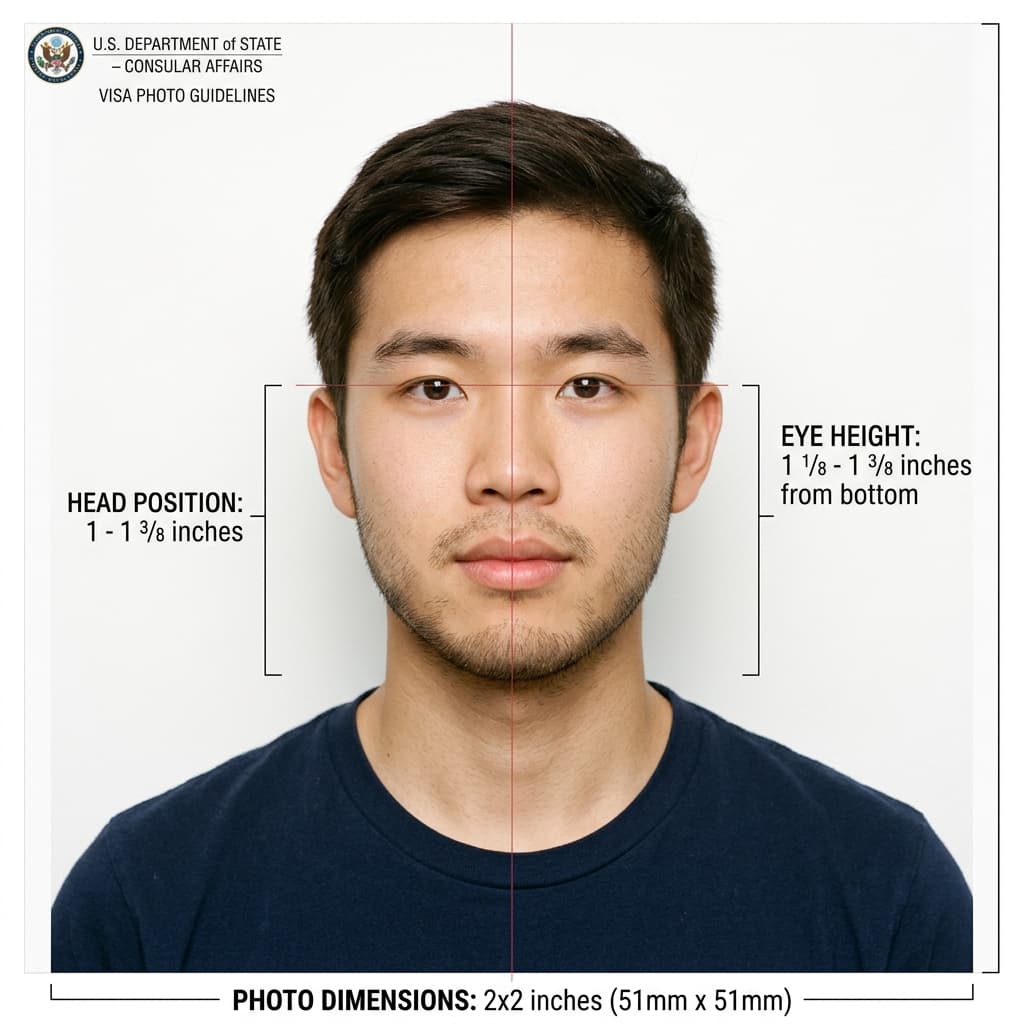
A photo prepared for the DS-160 upload
Format Your Photo Instantly
Take or choose a front-facing photo from your camera or gallery. Preview the cropped DS-160 photo with an official white background for free.
DS-160 photo formatted to 600x600 px for United States
Choose a photo or drag it here
JPEG, PNG, or WebP up to 20 MB · Front-facing camera or portrait
Select PhotoPassport Photo Checklist:
How to prepare your DS-160 photo
- 01
Upload your picture
Use a recent, front-facing photo. JPEG, PNG or WebP up to 20 MB.
- 02
Crop and format
The tool crops a square around your face, sets a white background and exports a 600×600 px JPEG.
- 03
Preview for free
Confirm the result before paying.
- 04
Download and upload
Pay $9.99, download the file, check it is 240 KB or less, then upload it to the DS-160.
Use the tool before you start the photo step
This page is for preparing a photo from scratch. If the DS-160 has already rejected your upload, the DS-160 photo maker explains the common error causes and fixes.
What causes DS-160 photo problems
- Quality errors: shadows, glare, blur, glasses or a tilted head.
- Background errors: patterned, colored or shadowed backgrounds.
- File errors: not square, too small, over 240 KB or not a JPEG.
Frequently Asked Questions
What size is the DS-160 photo?
A square JPEG between 600 × 600 and 1200 × 1200 pixels, 240 KB or smaller.
Can I edit my DS-160 photo?
You can crop, resize and set the background. Do not retouch your face or features.
Is this tool free?
Previewing is free. Downloading costs $9.99 once.
Does it guarantee the DS-160 accepts the photo?
No. The tool formats the file to the published rules, but the photo itself must also meet them.
USVisaPhotoAI is an independent photo service. It is not affiliated with the U.S. Department of State, USCIS, or any government agency. Final acceptance of any photo is decided by the agency reviewing your application.