
US Passport Photo Tool
Upload a picture and the tool crops it to 2×2 inches, sizes your head to the layout and replaces the background with white. See the result free before you pay.
- 2×2 in
- 600×600 px
- White background
- Free preview
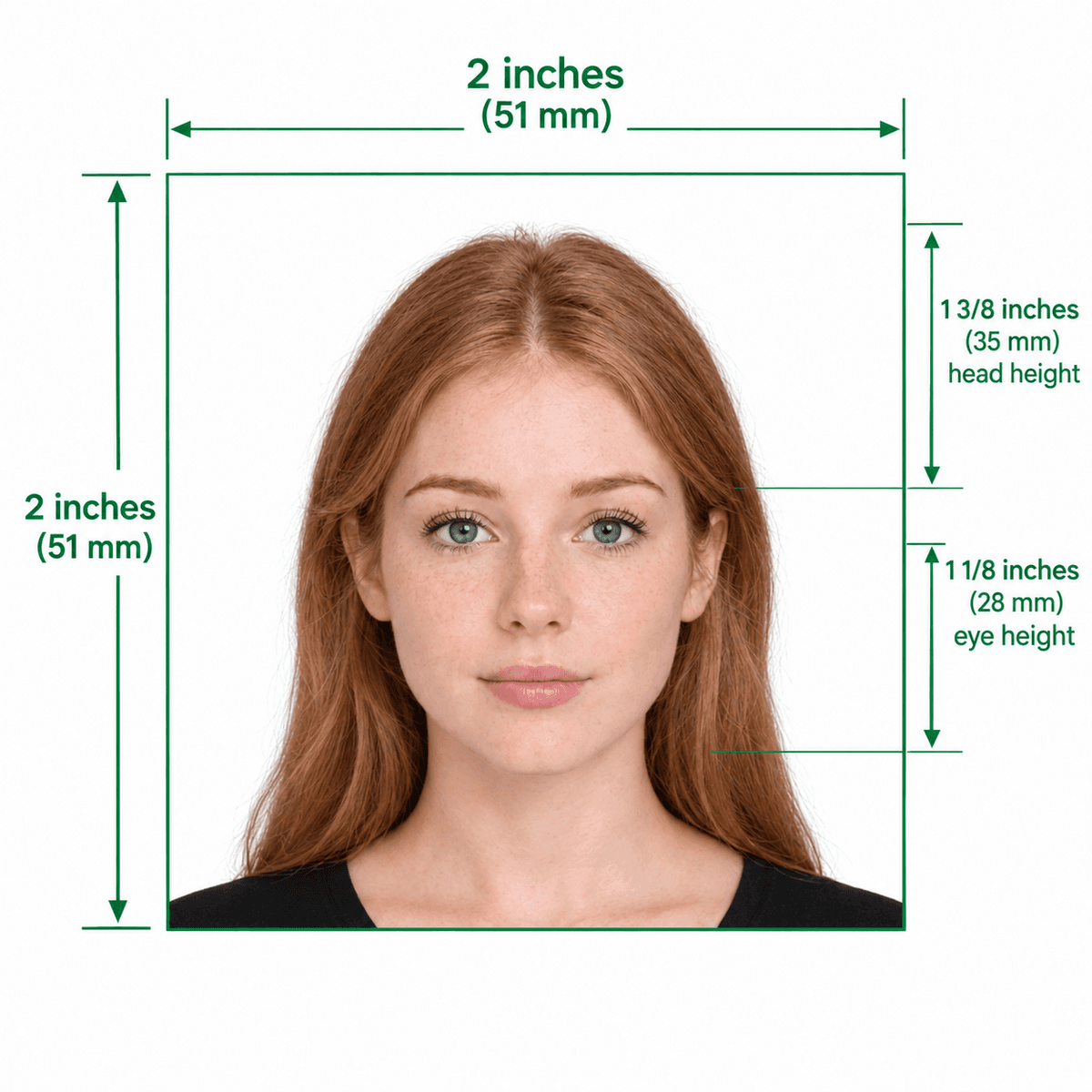
A 2×2 inch US passport photo
Format Your Photo Instantly
Take or choose a front-facing photo from your camera or gallery. Preview the cropped US passport photo with an official white background for free.
US passport photo formatted to 600x600 px for United States
Choose a photo or drag it here
JPEG, PNG, or WebP up to 20 MB · Front-facing camera or portrait
Select PhotoPassport Photo Checklist:
How to use the US passport photo tool
- 01
Upload a photo
Choose a recent front-facing photo. JPEG, PNG or WebP up to 20 MB.
- 02
Auto-crop and background
The tool centers your face in a square, sizes your head and sets a white background.
- 03
Preview for free
Check the framing. Upload a better photo and retry at no cost if needed.
- 04
Download
Pay $9.99 once to download the digital file and a printable copy for a pharmacy or home printer.
Our tool compared with the State Department's photo tool
- The State Department's tool is a free official option for cropping a photo you have already taken.
- This tool also replaces the background with white, which is the common reason photos fail.
- Both leave the quality of the original photo up to you: light, expression and no glasses.
- We are an independent service and not affiliated with the State Department.
Tips for a good result
- Stand 4 feet from the camera, facing it, with even light on your face.
- Remove glasses. Keep a neutral expression or natural smile with both eyes open.
- Use a plain wall; the tool replaces the background but cannot fix hair or shadow edges perfectly.
- Do not use filters, and use a photo from the last 6 months.
Digital upload or printed photo
Online renewals use the 600×600 px digital file. For a paper application, use the print sheet and print at 2×2 inches on photo paper.
Frequently Asked Questions
Is the US passport photo tool free?
Uploading and previewing are free. Downloading costs $9.99 once.
Are the results accepted by the State Department?
The tool matches the published size, head and background rules, but acceptance is decided by the State Department and depends on the photo you provide. If a photo is rejected for its dimensions, we remake it or refund you; see the refund policy.
Can I print the photo?
Yes. The download includes a printable version you can take to a pharmacy or print at home.
Do I need to sign up?
You only need an email address when you pay, so we can send your download link.
USVisaPhotoAI is an independent photo service. It is not affiliated with the U.S. Department of State, USCIS, or any government agency. Final acceptance of any photo is decided by the agency reviewing your application.