
US Passport Photo Crop Tool
Crop to 2×2 inches without guessing. The tool detects your face, centers it and sets the head size to the US passport layout.
- Face detection
- 2×2 in square
- Head 50–69%
- 600×600 px
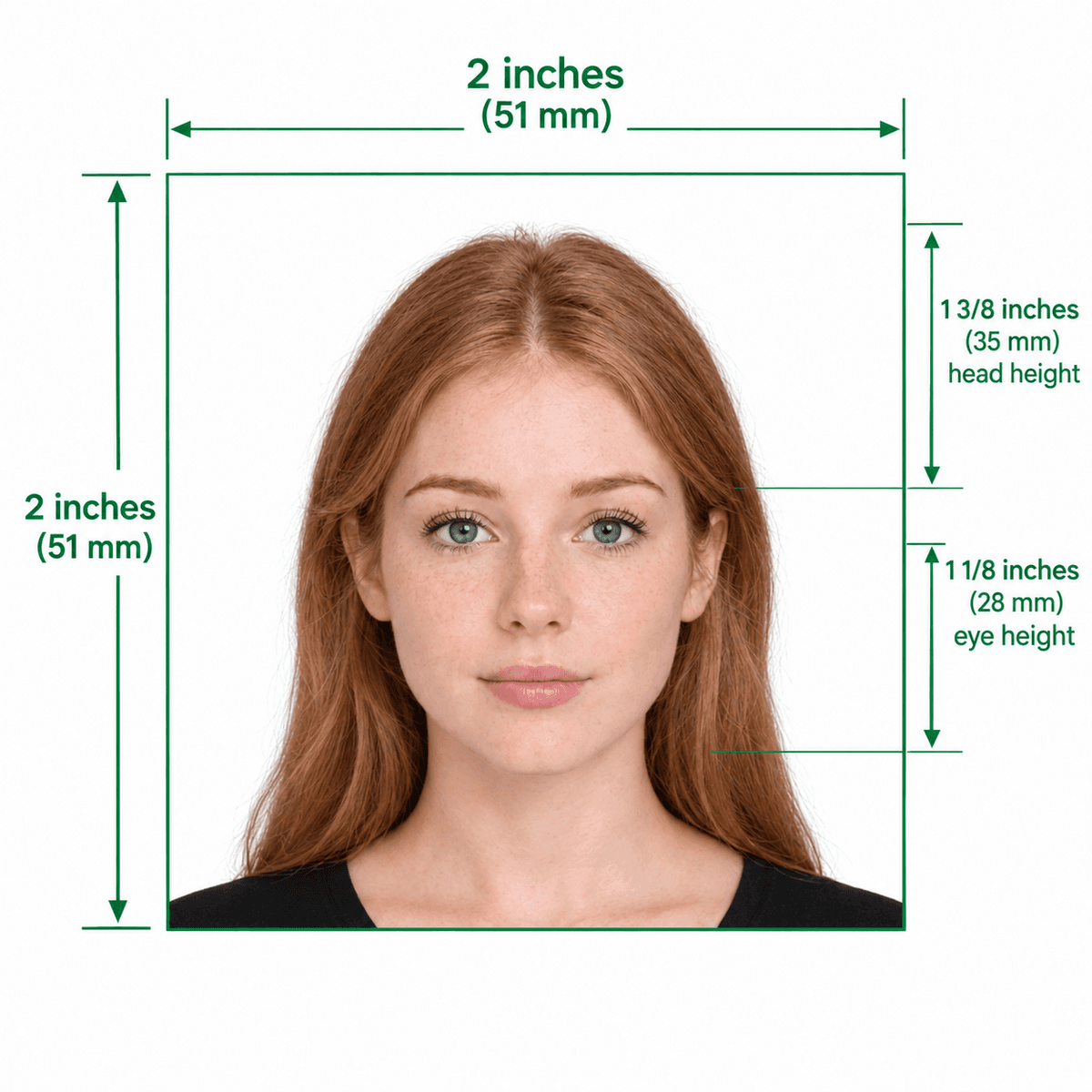
Head size and centering for a 2×2 inch passport photo
Format Your Photo Instantly
Take or choose a front-facing photo from your camera or gallery. Preview the cropped cropped US passport photo with an official white background for free.
cropped US passport photo formatted to 600x600 px for United States
Choose a photo or drag it here
JPEG, PNG, or WebP up to 20 MB · Front-facing camera or portrait
Select PhotoPassport Photo Checklist:
How to crop a photo for a US passport
- 01
Upload and detect your face
The tool locates your face automatically in the photo you upload.
- 02
Automatic crop
A 1:1 crop is placed so your head fills about 50–69% of the height, with space above your head.
- 03
Check the preview
Confirm nothing is cut off. If it is, upload a photo with more space around you.
- 04
Download
Pay $9.99 to download a 600×600 px file and a printable 2×2 inch copy.
Troubleshooting a crop
- Photo too small: a low-resolution image looks soft at 600 px. Use the original from your camera.
- Face not detected: use a front-facing photo with the whole face visible and no heavy filter.
- Head cut off: the original needs space above your hair. Retake with more room.
- Crop too tight: a tight crop makes the head too large; let the tool place it.
Cropping does not fix everything
A crop does not remove glasses, shadows or a busy background. The tool also replaces the background with white, but retake the photo if the lighting is uneven.
Frequently Asked Questions
How do I crop a photo to US passport size?
Upload it and the tool crops a 2×2 inch square around your face automatically.
What happens if I crop too tight?
Your head may be larger than the allowed 1⅜ inches or the top of your hair may be cut off, which can lead to rejection.
Is the crop tool free?
Preview is free. The finished download costs $9.99.
Does it work for passport renewals?
Yes. The same 2×2 inch photo is used for new passports and renewals.
USVisaPhotoAI is an independent photo service. It is not affiliated with the U.S. Department of State, USCIS, or any government agency. Final acceptance of any photo is decided by the agency reviewing your application.